 FiregroundScribe
For fire departments
Every word on the fireground, documented.
FiregroundScribe records your radio traffic, transcribes every transmission, and marks the moments that matter (on scene, water on the fire, primary all clear, PAR, MAYDAY), with accurate times for after-action review, reports and NFIRS.
Runs on one Windows PC at your station. 30-day free trial.
From the radio to the record
Every transmission transcribed. The key moments timed.
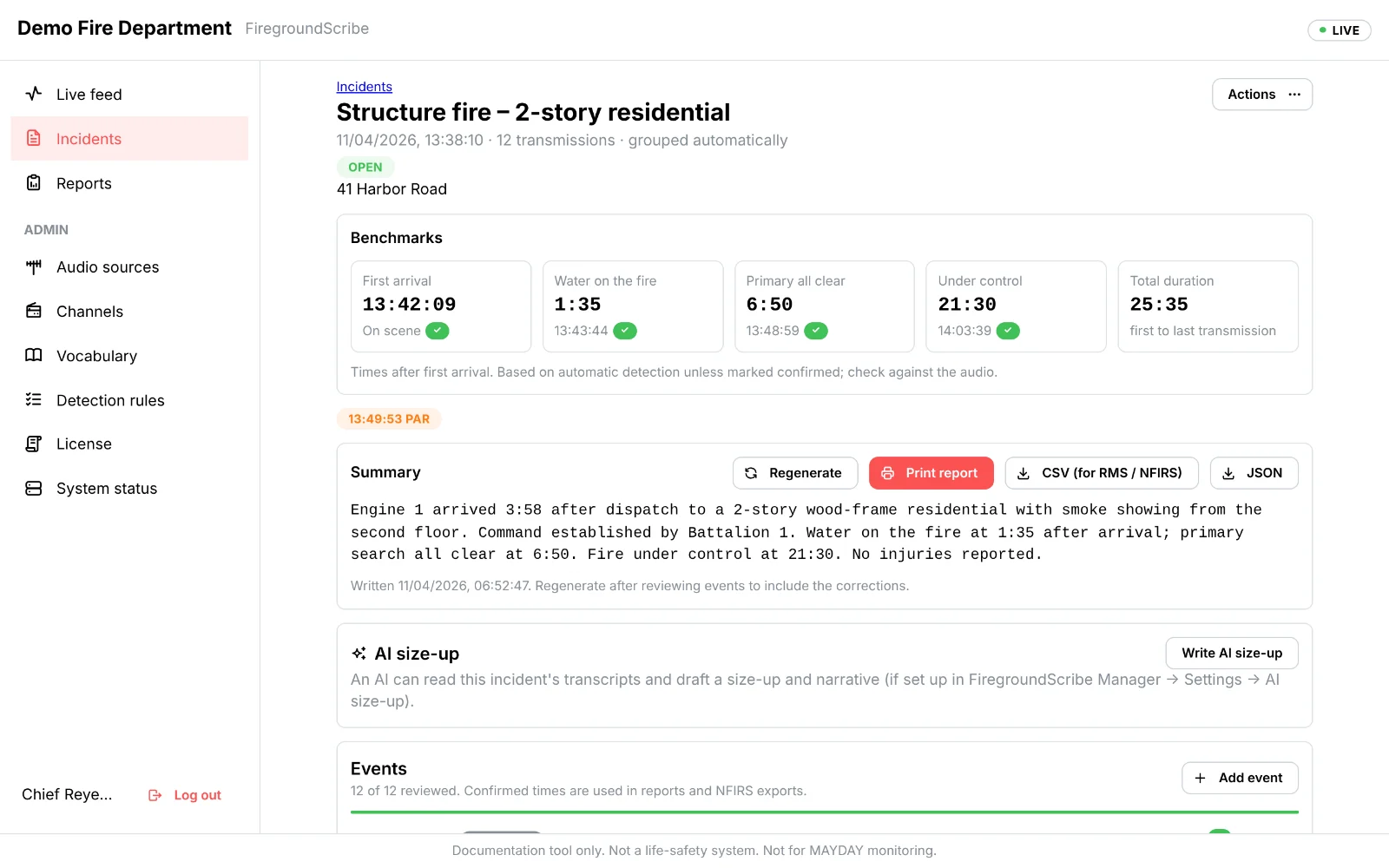
An example fireground, as FiregroundScribe writes it down: each transmission in text, with the benchmark events detected and timed from first arrival.
-
E1Engine 1 on scene, two-story wood frame, heavy smoke showing from the second floor. Engine 1 will be Harbor Road command. ON SCENE0:00
-
BC1Battalion 1 on scene, I will be assuming Harbor Road command. COMMAND0:24
-
E1Engine 1, we have water on the fire. WATER ON THE FIRE1:35
-
L4Ladder 4 to command, primary search is all clear, second floor. PRIMARY ALL CLEAR6:50
-
BC1Command to all units, PAR check. PAR7:44
-
BC1Command to dispatch, fire is under control, Ladder 4 beginning overhaul. UNDER CONTROL21:30
Live feed
Every transmission, in text, within seconds
Speech recognition tuned for scanner audio, with your unit numbers, streets and local names. It learns from your officers' corrections.
- Your department's audio stream, a scanner on the PC, or trunked systems
- Search every transcript; play back the audio behind it
- Incidents grouped automatically when the radio goes quiet
Benchmarks
Know your times, month after month
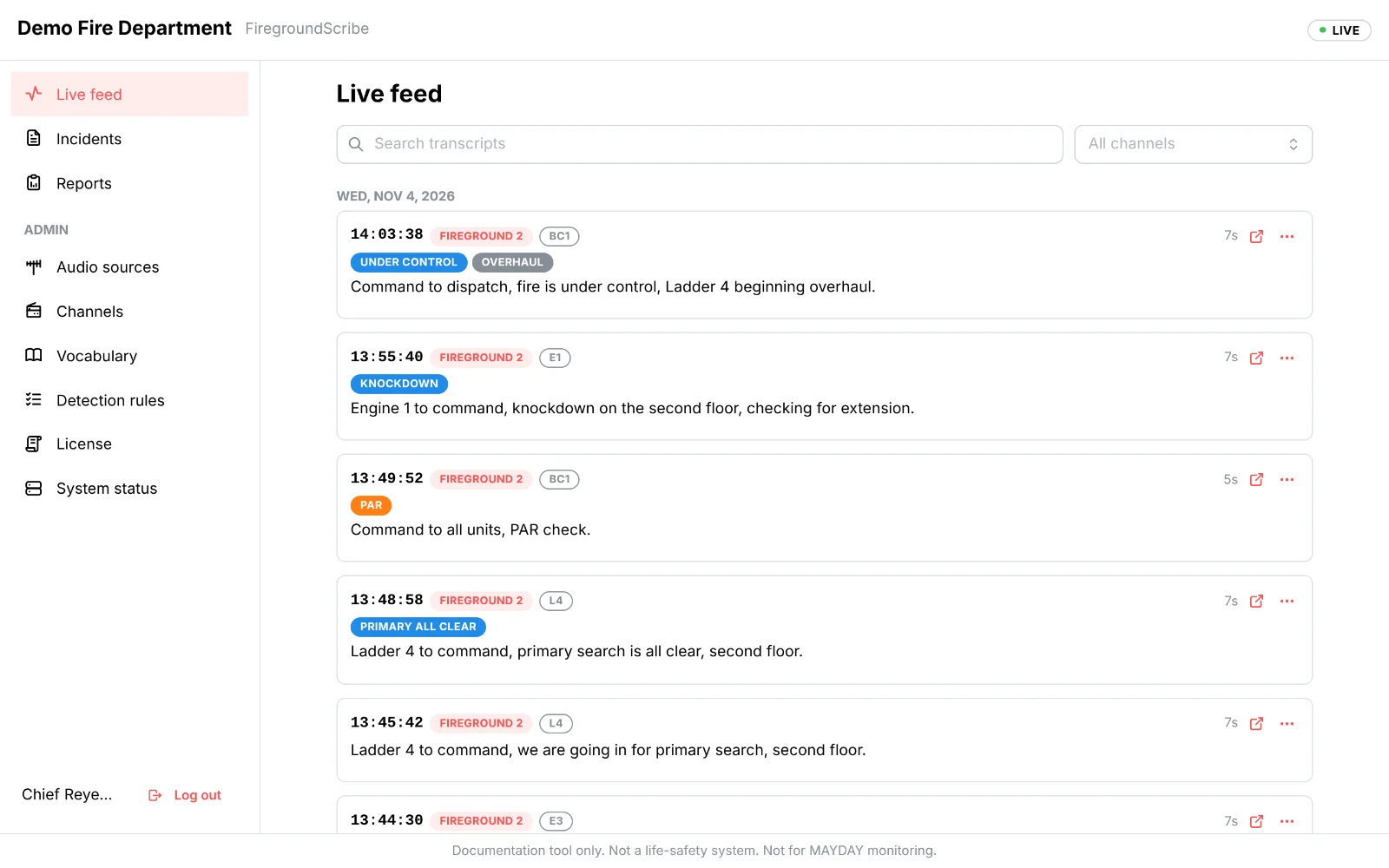
Arrival to water on the fire, primary all clear and under control, for every call, with median and 90th-percentile trends by month and incident type.
- Officers confirm, reject or correct each event; every change is audited
- Rejected events stay out of your numbers
- Choose which milestones you benchmark
After-action reports
A finished report for every incident
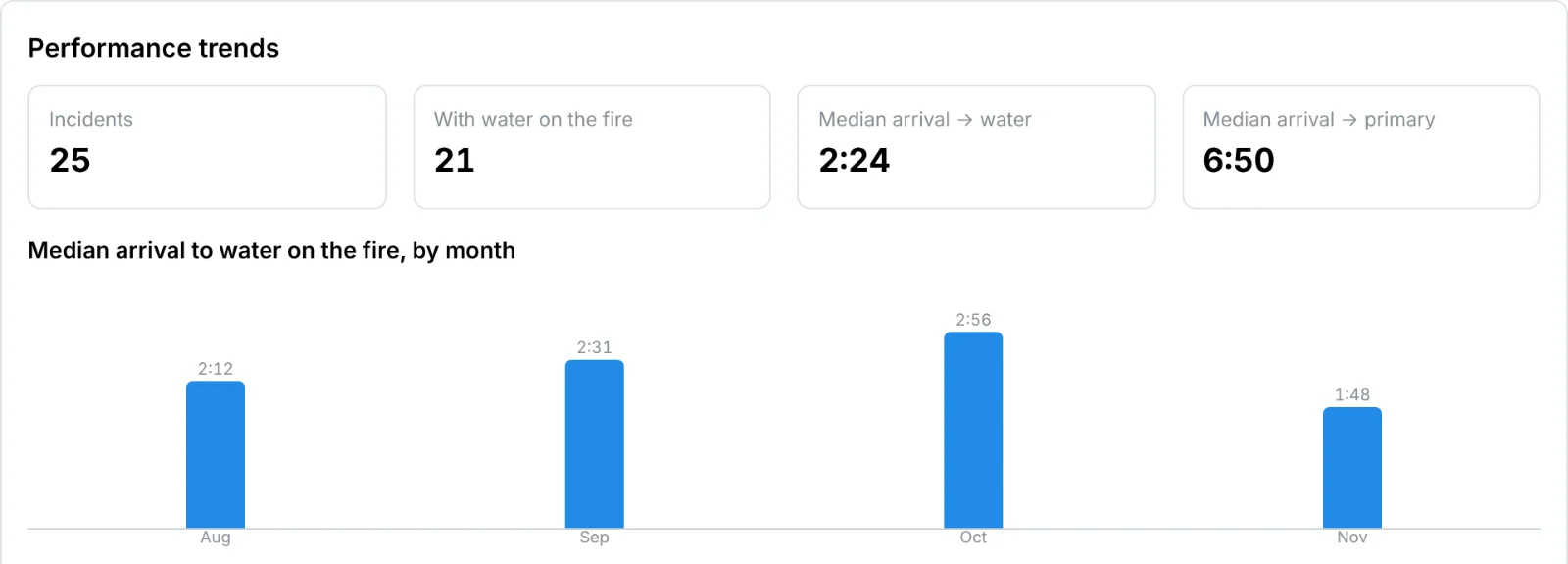
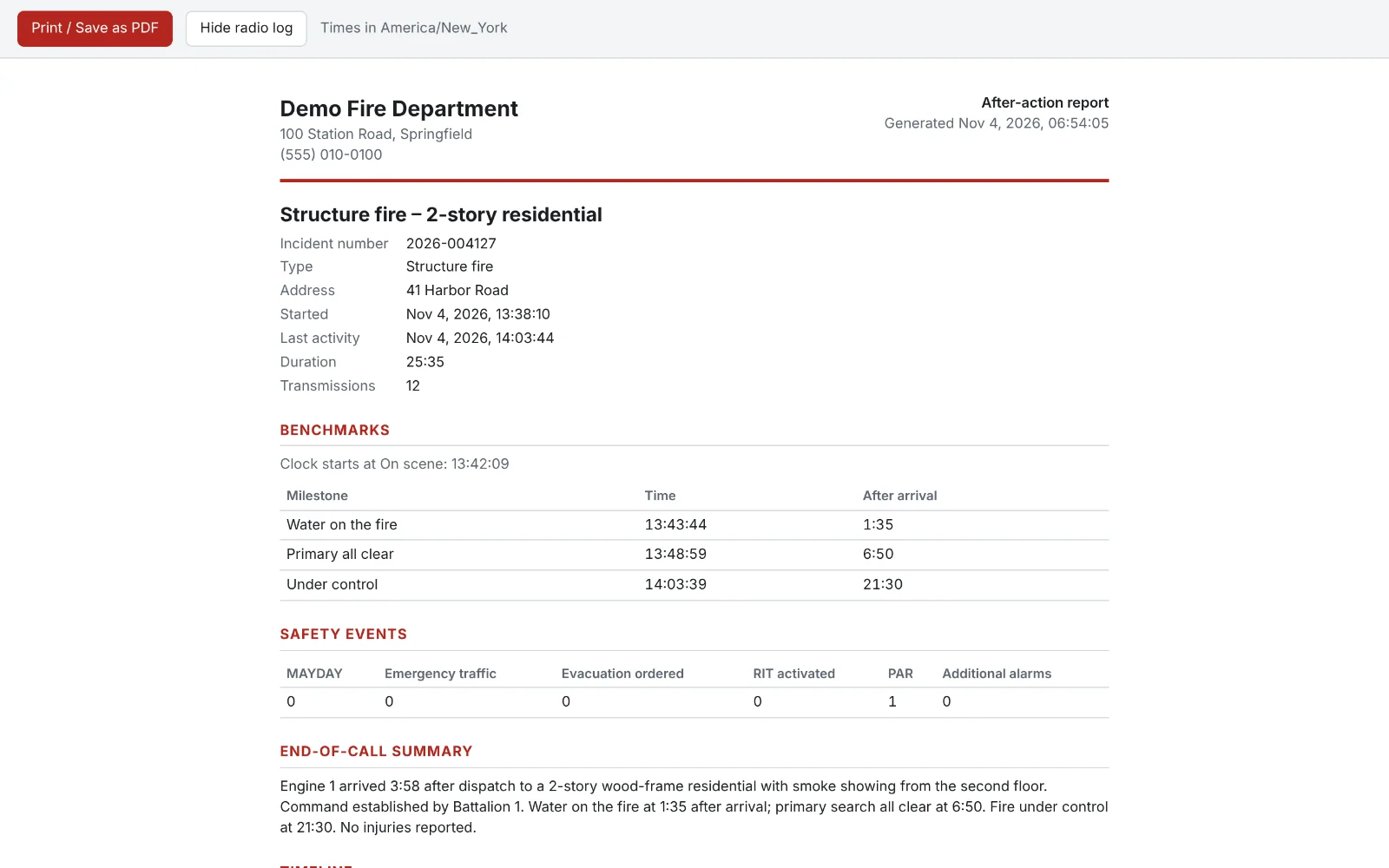
One click prints the incident on your letterhead: key facts, benchmarks, safety events, summary, timeline and the full radio log. Save it as a PDF for your files or your after-action review.
- NFIRS and NERIS times in CSV for your RMS
- Read-only API and database views for Excel and Power BI
- Optional AI size-up drafts the narrative for you to check
Built for the station
Your recordings stay on your hardware
FiregroundScribe runs on one Windows PC at your station, not in someone else's cloud. No monthly bill for audio storage, and it keeps recording when the internet is down.
Installs in minutes
One installer sets up the recorder, transcription and database as a Windows service. FiregroundScribe Manager handles users, settings, backups and updates.
Private by design
Transcription runs on the PC, so audio never leaves the building. EMS channels stay off until you allow them, and are never sent to an AI.
Looked after
Automatic updates while the radio is quiet, optional nightly cloud backup, and remote support only when you allow it.
How it works
From install to your first report in an afternoon
- InstallThe PC that receives your radio audio runs FiregroundScribe as a Windows service.
- Connect your audioA stream address, the scanner's line-in, or your trunked recorder's uploads.
- Watch it workEvery transmission transcribed and grouped into incidents as it happens.
- Review and reportConfirm the key times, print the report, export to your RMS.
See it on your own radio traffic
We'll set up a trial on your department's audio and walk your officers through their first incident.